
Sometimes, when a principal (or the person who approves destruction lists) reviews the destruction list, there are some things they want to have removed from the list to be retained.
In this case, the destruction list can be amended and resent for authorization.
Step 1
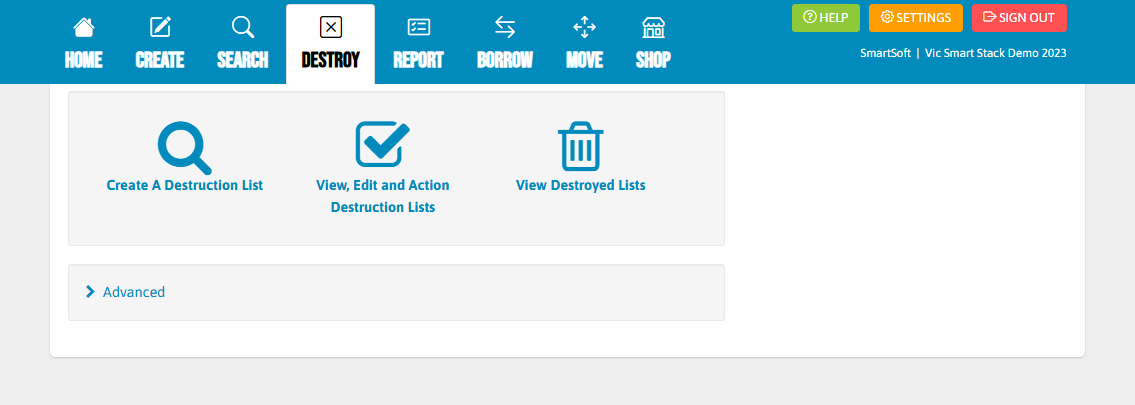
Find the destruction list in the "View, Edit and Action Destruction Lists".
Step 2
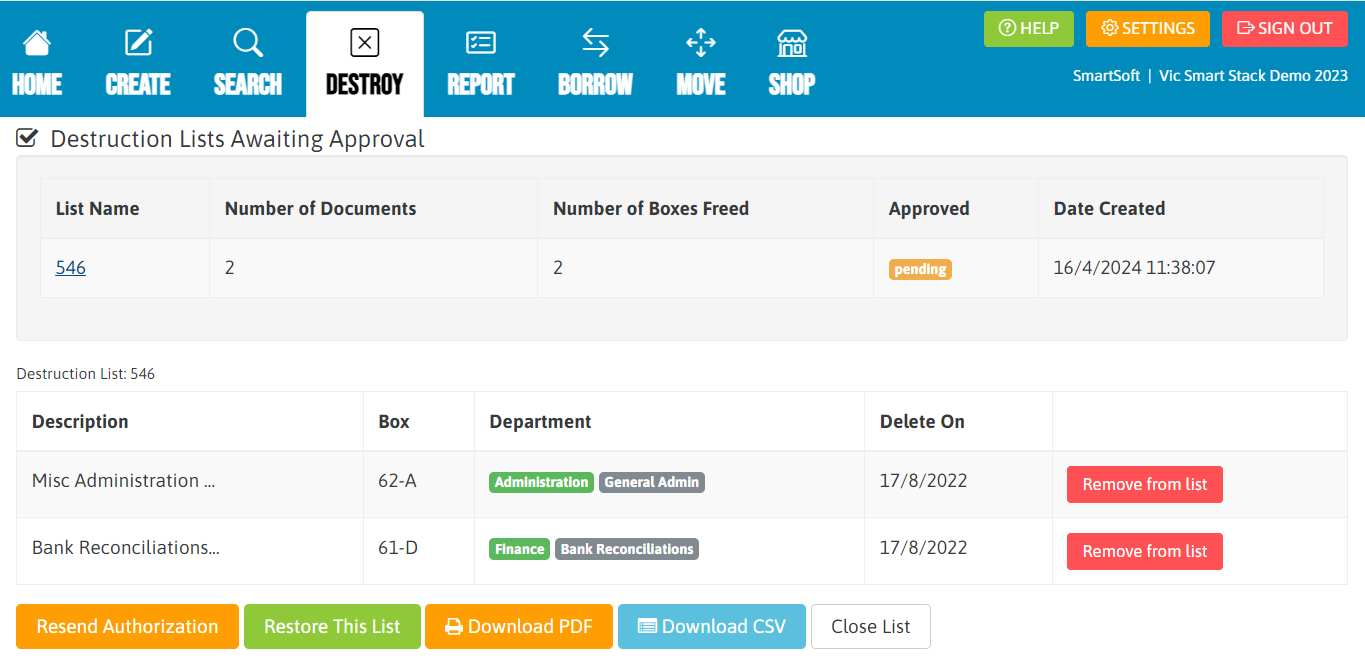
Once the destruction list has been located and you click into it, you will see you have the option to click the red button along the right-hand side which says, "Remove from list".
You will need to go down and click "Remove from list" for all the records that have not been approved for destruction.
Step 3
Once the required ones have been removed, you will need to click the orange button that says, "Resend Authorization".

This will resend the authorization to the person who authorizes destruction and the list will no longer contain the records which were removed.