
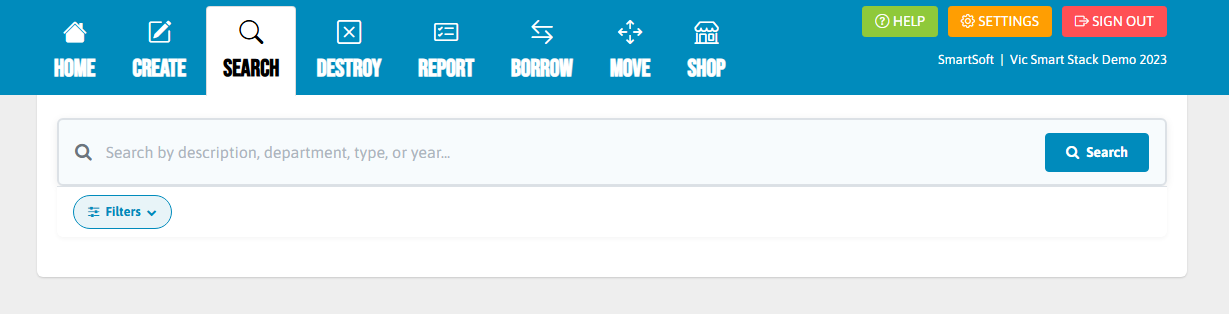
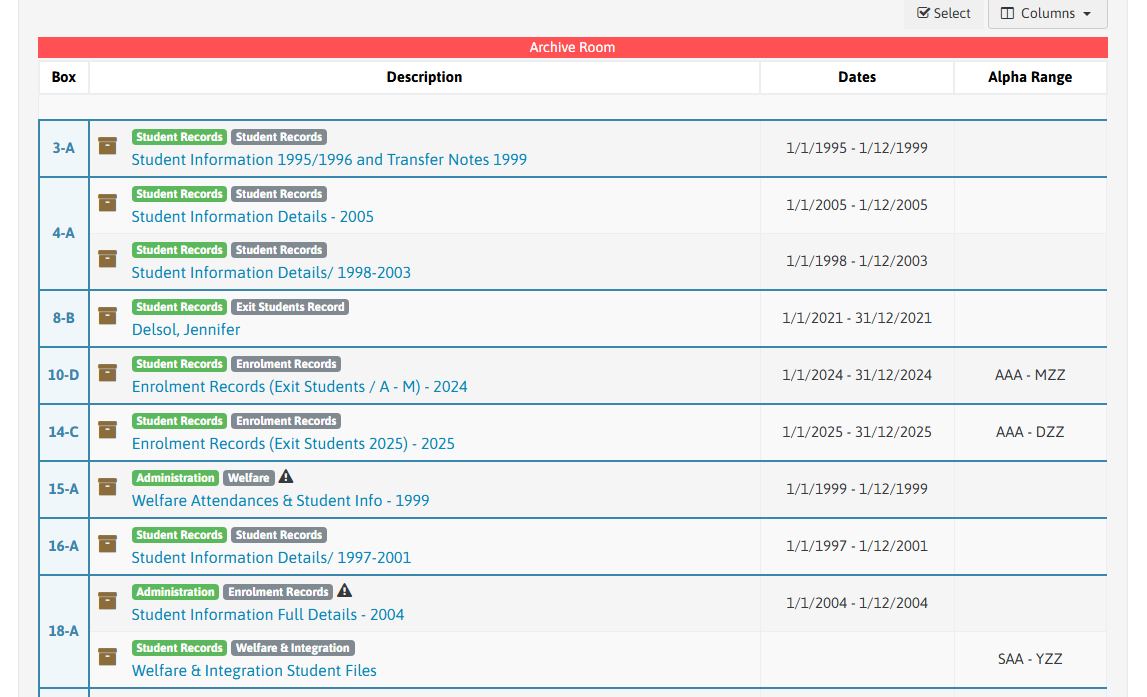
When you populate a search, you will be able to see basic details of a file, including box number where the file is located in, which storage location the box is in, dates, alpha and number range and also the title of the document.
Step 1
To get to edit a document, you need to go the search function and find the document you want to edit.
To look further into, edit or request a document, you need to click the blue title (description) which will bring up a pop-up window.
Step 2
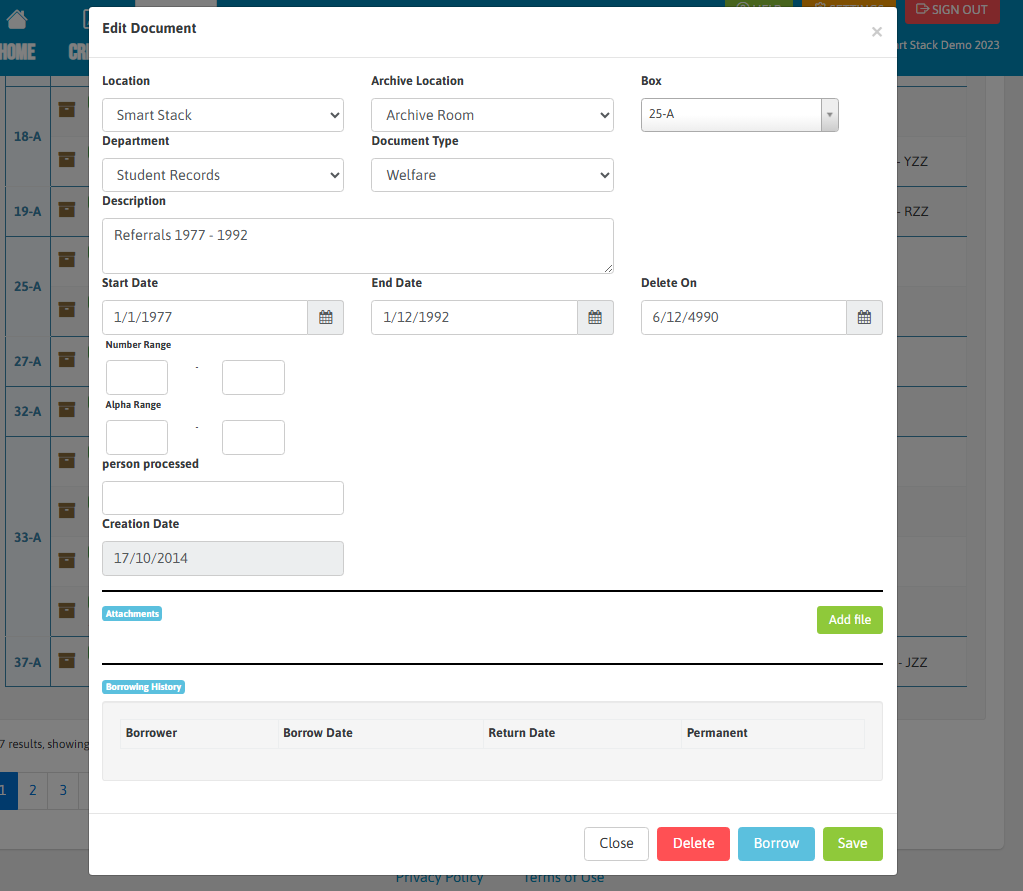
Here you can view and edit all parts of the file including moving to another box or adding digital attachments to the file.
Note: If you are moving a single file from one location to another, this is done through this edit function. If you are moving large numbers of boxes, this is done through the move function. More information can be found on that here.
Important!
Be aware if you delete a document, you will lose any archiving history. Also, this option does not take into consideration the retention schedule. If you wish to destroy a document, click here for the destroying documents section.
The red "Delete" button should only be used when an error has been made with the data entry which is to be rectified,